
Fender Studio Pro: The DAW Built for Guitarists Who Want Guitar Tools at the Core
Fender Studio Pro is PreSonus Studio One 8 co-developed under the Fender brand, adding Fender Tone integration, a guitar and bass tone library, and guitar-optimized templates to a complete production engine. Find out who it is for and how it compares to standard Studio One.
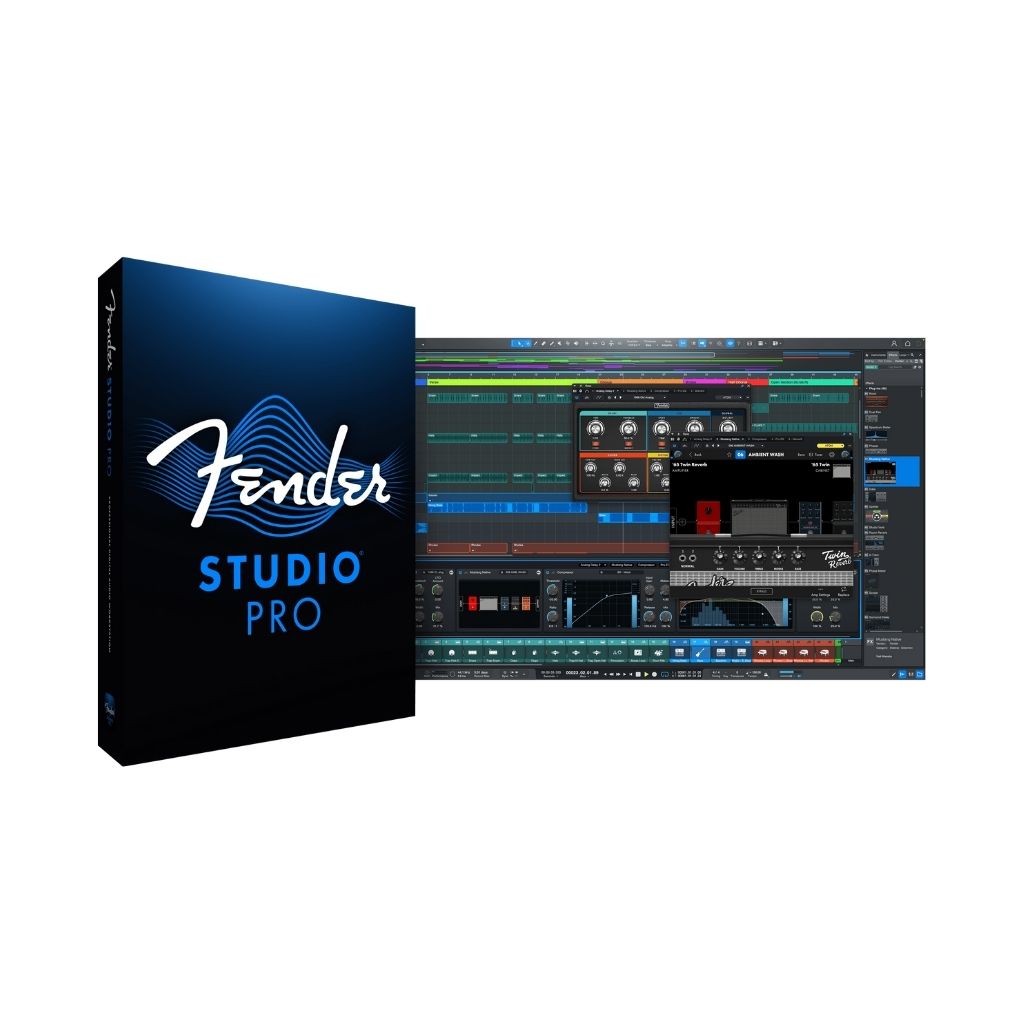
Fender Studio Pro is a full-featured digital audio workstation built on PreSonus Studio One 8 and co-developed under the Fender brand. It takes the same production engine that powers Studio One — the drag-and-drop arrangement workflow, the integrated mastering suite, and the Project page — and layers on top of it a set of guitar-first additions: deep integration with the Fender Tone app, a curated library of guitar and bass tones, and a collection of guitar-optimized session templates designed to get a band recording quickly without reconfiguring a generic DAW setup.
The result is a DAW that handles everything a modern production environment demands, from MIDI sequencing and virtual instrument hosting to mix automation and audio-to-MIDI conversion, while treating the electric guitar as the center of the workflow rather than an afterthought patched in with third-party plugins. Amp simulation, cabinet modeling, and tone-shaping tools reflect decades of Fender's knowledge of how guitars are actually played and recorded.
Fender Tone Integration and the Guitar-Specific Toolkit
The headline addition that separates Fender Studio Pro from a plain Studio One license is the Fender Tone integration. Fender Tone is the companion app and ecosystem Fender developed alongside its Mustang and Tone Master Pro amplifiers, and within Studio Pro it surfaces as a direct bridge between your tone presets and the DAW's signal chain. Tones saved in the Fender app are accessible inside the session without exporting and reimporting settings, removing a step that typically slows down guitarists moving between hardware and software.
The guitar and bass tone library included with Fender Studio Pro covers clean headroom tones suited to funk and country, medium-gain crunch sounds associated with classic rock, and higher-gain settings aimed at heavier styles. These are not generic plugin presets: they are voiced to behave like specific Fender and related amplifier circuits, so the response to picking dynamics and chord voicings is more musically coherent than a generic amp sim dialed in from scratch.
Guitar-optimized session templates round out the toolkit. Each template is preconfigured with the track layout, routing, and processing choices a guitarist or band would typically build by hand: a clean DI channel, an amp-sim channel, a room mic bus, a scratch vocal track, and a click group. Starting a session from one of these templates means the first hour of a recording day goes to playing, not to configuring software.
The Studio One 8 Engine: What You Get Beyond the Guitar Tools
Underneath the Fender branding, Studio Pro runs the Studio One 8 production engine in full. Studio One is known for its single-window workflow, where the arrangement, mixer, and mastering environment coexist without requiring you to switch between separate application modes. Every track type, every MIDI editor function, every automation lane, and the complete FX library available in Studio One 8 are present and fully operational in Studio Pro. This is not a stripped-down DAW with a guitar skin: it is a complete production environment.
Studio One 8's Project page is one of the most practical mastering environments bundled with any DAW at this price tier. It accepts mixes dragged directly from the Song page, applies mastering processing in a dedicated signal chain, and exports delivery files to multiple targets simultaneously. The integrated Stem Splitter, a machine-learning audio separator, can isolate vocals, drums, bass, and other elements from a reference mix directly inside the DAW — useful for studying an arrangement or extracting stems from an older recording.
The Chord Track and Harmonic Editing tools in Studio One 8 allow you to define a chord progression at the arrangement level and have MIDI instruments, audio clips, and pitch-correction tools conform to that harmonic map. For a guitarist who hears in keys and progressions rather than in MIDI note numbers, this is one of the most practically useful composition tools available in any DAW on the market today.
Fender Studio Pro or Standard Studio One: How to Choose
The decision between Fender Studio Pro and a standard Studio One license comes down to one question: is the guitar and bass workflow central to how you make music, or is it one of many elements? If you track live guitar and bass into most sessions, rely on amp simulation rather than committing early to a hardware amp sound, and want tone management that connects to the Fender hardware ecosystem, Studio Pro delivers meaningful, session-day value that standard Studio One does not offer.
If you primarily produce electronic music, work mainly with sample libraries and virtual instruments, or use a guitar occasionally as a texture source, the Fender-specific additions add cost without solving a problem you actually have. Standard Studio One 8 in any tier from Artist through Professional gives you the same production engine, the same Project page, and the same MIDI tools. The guitar tone library and Fender Tone integration are the only material differences between the two products.
Frequently asked questions
Is Fender Studio Pro built on PreSonus Studio One 8, or is it a completely separate DAW?
Fender Studio Pro is built directly on Studio One 8. PreSonus and Fender co-developed Studio Pro on top of the full Studio One 8 production engine, so the arrangement, mixing, and mastering workflows are identical to standard Studio One. The Fender-specific additions are the Fender Tone integration, the guitar and bass tone library, and guitar-optimized session templates layered on top of that shared core.
Can I use Fender Studio Pro for electronic music production, or is it guitar-only?
Every production feature in Studio One 8 is available in Fender Studio Pro, including MIDI sequencing, virtual instrument hosting, sample editing, automation, and the mastering Project page. The Fender additions are supplemental. Electronic producers will find a complete DAW, though they will pay for guitar-centric features they may rarely use.
Does Fender Studio Pro require a Fender amp or hardware to work?
No hardware is required. The Fender Tone integration works as a software bridge and the included tone library functions as a standard plugin preset system inside the DAW. A Fender Mustang or Tone Master Pro amplifier deepens the integration, but Fender Studio Pro is fully functional as a standalone DAW without any Fender hardware connected.
Recommended Related Products
Fender Studio Pro
Next-generation DAW optimized by Fender with drag-and-drop workflow.