Ambient and Lo-Fi Piano with NI Noire: Felt Mode and the Particles Engine
Noire pairs Nils Frahm's felt-muted concert grand with a generative Particles engine, making it one of the best tools for ambient, neoclassical and lo-fi piano. Here is how to get the most out of felt mode and let Particles handle the atmosphere.
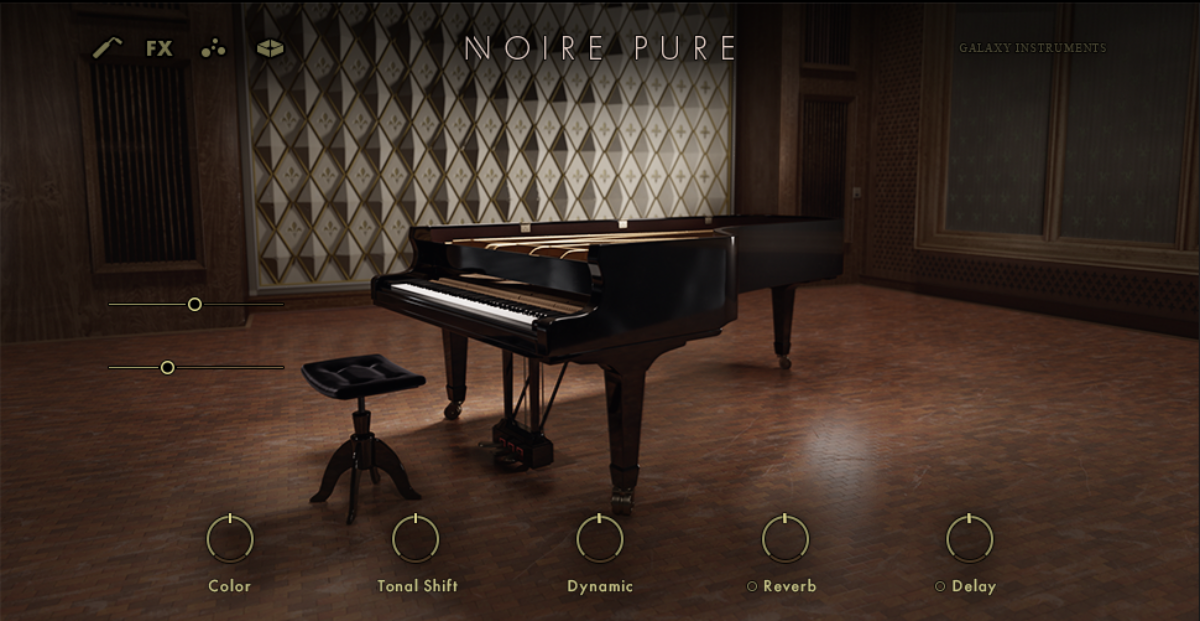
Native Instruments Noire is a piano built for mood, not for showing off a perfect concert grand. It captures Nils Frahm's own piano, recorded with vintage microphones and preamps at the Funkhaus in Berlin, and ships in two distinct flavors: a clear, pristine version and a felt version that has become the reason most producers buy it. Add the generative Particles engine on top, and Noire turns into a complete environment for ambient, neoclassical and lo-fi piano rather than just a sample set.
This guide focuses on the two features that define the instrument's character: felt mode, and the Particles engine. Used together with a few production habits, they let a single held chord turn into an evolving, atmospheric texture with almost no extra work.
Felt Mode: Why It Sounds Intimate
Felt mode is not the pristine piano with a filter on top; it is a completely separate set of samples of the same grand, recorded with a strip of felt placed between the hammers and the strings. That felt softens the hammer strike, so the attack transient drops and the tone becomes gentle, warm and breathy. It is the same physical modification pianists use on real pianos to get that hushed, late-night sound, captured at the source rather than faked with processing.
That is what makes felt mode ideal for introspective, atmospheric music. The reduced attack means notes bloom in rather than punch, which sits beautifully under vocals, pads and sparse arrangements. The trade-off is that felt mode does not cut through a dense, loud mix, so it is the wrong tool for a driving pop chorus and the right one for ambient, cinematic, neoclassical and lo-fi work where softness and emotional subtlety are the whole point.
- Felt mode is a separate sample set, not an EQ trick — the softness is genuine.
- Reduced hammer attack makes notes bloom in, ideal under vocals and pads.
- Mechanical noise, felt texture and release sounds add intimacy; keep them audible.
- Use it for ambient, neoclassical, cinematic and lo-fi, not for loud, dense mixes.
The Particles Engine: Generative Atmosphere
The Particles engine is what sets Noire apart from every other felt piano. It is a generative system that listens to what you play and automatically spawns extra notes and textures around it, building clouds of pulsating, swirling harmonic material from piano tones, plucked strings, mallets and brushed sounds. Instead of sequencing every atmospheric detail, you play a simple part and Particles improvises a living texture on top of it in real time.
It runs on a set of preset algorithms, each with its own rules for how it generates material from your input. Some create rhythmic, arpeggiated motion; others produce slow, evolving harmonic clouds; others add percussive or plucked accents. Because the output comes from the notes you hold, it always stays harmonically related to your part, which is why it sounds musical rather than random. You can shape the density, range and behavior of the particles to dial the effect from a subtle shimmer to a dominant, ever-moving soundscape.
A Workflow for Ambient and Lo-Fi
The most effective way to use Noire for ambient and lo-fi is to keep your own playing simple and let felt mode and Particles supply the character. Hold a slow chord progression or a sparse two-note motif in felt mode, choose a Particles algorithm that fits the mood, and adjust its density until the generated texture supports your part without burying it. What you played as four bars of held chords becomes a continuously evolving passage.
For lo-fi specifically, the felt tone is already most of the aesthetic, so lean into it: keep velocities low and uneven, leave the mechanical and pedal noises in, and avoid over-quantizing so the part keeps a human, slightly imperfect feel. A little wow and flutter, a gentle low-pass to roll off the top, and tape-style saturation downstream finish the lo-fi character, but the source from Noire is already halfway there.
- Enable felt mode and play a slow chord progression or sparse two-note motif.
- Open the Particles engine and choose an algorithm that matches the mood.
- Adjust Particles density until the generated texture supports your part without burying it.
- For lo-fi: keep velocities low and uneven, leave mechanical noises in, avoid heavy quantization.
- Add downstream finishing: gentle low-pass, wow and flutter, tape saturation.
Placing Noire in a Mix
Noire usually needs very little processing. The felt tone and the room it was recorded in already give you a finished, atmospheric sound. A gentle high-pass to clear sub rumble, light compression to even the dynamics, and a tasteful reverb to extend the space are often all a felt piano part requires. Resist the urge to brighten it hard with EQ; doing so fights the entire reason you chose felt mode.
When Particles is active, mind the frequency range and density relative to the rest of the arrangement, since the generated material can take up a lot of space. In a full mix, a lighter Particles setting keeps the piano supportive; in a solo or duo context, you can let it run more freely as the main source of movement. Used with restraint, Noire delivers the kind of intimate, emotional piano that anchors film cues, neoclassical pieces and lo-fi beats with almost no effort.
Frequently asked questions
Is felt mode in Noire just an EQ filter on the normal piano?
No — felt mode is a completely separate set of samples of the same concert grand, recorded with a strip of felt placed between the hammers and the strings. That physical felt softens the hammer strike, reducing the attack transient and producing a genuinely gentle, breathy tone. Because it is real sampling rather than filtering, the softness sounds authentic and includes the felt and mechanical textures you cannot fake with EQ.
What does the Particles engine actually do?
The <strong>Particles engine</strong> listens to the notes you play and automatically creates extra notes and textures around them in real time, building clouds of pulsating, swirling harmonic material from piano tones, plucked strings, mallets and brushed sounds. It runs on preset algorithms, each with its own rules for generating motion from your input. Because the output comes from the notes you hold, it stays musically related to your part, letting a simple chord progression become an evolving atmospheric texture.
Is Noire good for lo-fi piano?
Yes — it is one of the best choices. Felt mode already supplies the soft, warm, slightly hazy tone that defines lo-fi piano, complete with mechanical and pedal noises that add character. Keep velocities low and uneven, avoid heavy quantization, leave the noises in, then add the usual lo-fi finishing touches: a gentle low-pass, wow and flutter, and tape saturation. The Particles engine can also add subtle, evolving movement that suits the genre. Much of the lo-fi aesthetic is already present in the source.
Should I record or freeze the Particles output?
Yes, once you are happy with the part. Particles generates notes algorithmically from your input, so the exact texture can vary slightly between playback passes. That variation is great while writing, but it means the part is not perfectly repeatable. Freezing the track or recording the output to audio captures the version you like, so the arrangement stays consistent when you mix and bounce.