
Spectrasonics Stylus RMX: The Loop Groove Engine That Replaced Static Audio Files
Stylus RMX by Spectrasonics is a loop-based groove instrument built around SAGE technology, giving producers real-time tempo matching, slice editing, and deep groove manipulation without touching a single static audio file.
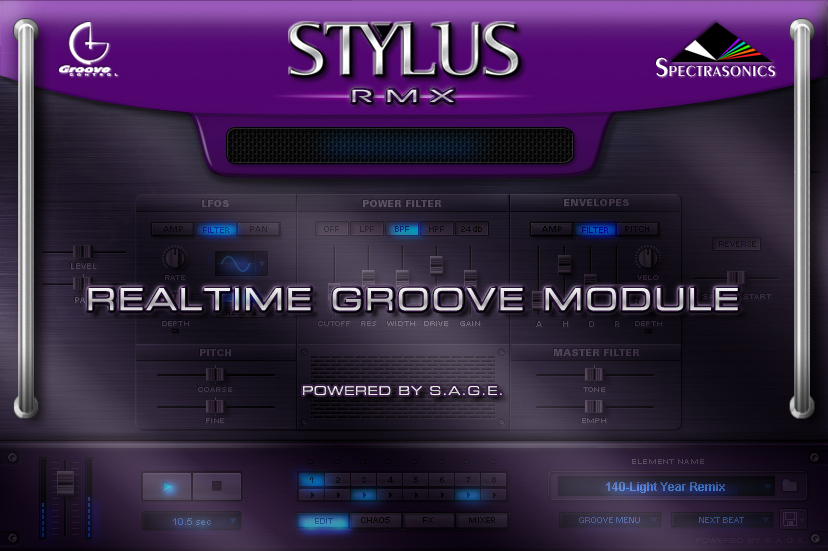
Stylus RMX by Spectrasonics is not a drum machine and it is not a sample player. It is a groove instrument built entirely around SAGE technology, a proprietary system that stores percussion loops as sliced, tempo-locked data rather than fixed audio files. Load a groove into Stylus RMX and it stretches or compresses to your DAW tempo in real time, with every individual slice remaining in sync without the pitch artifacts or smearing that time-stretching algorithms typically produce.
Producers who work with live drum recordings, world percussion, or complex rhythmic textures choose Stylus RMX because it gives them the nuance and feel of recorded loops alongside the flexibility of a programmed pattern. Unlike a static audio clip dragged into a timeline, every groove inside Stylus RMX is alive: editable at the slice level, randomizable through the Chaos Designer, and processable through the built-in Suite FX chain without leaving the plugin.
SAGE Technology and the Groove Control System
SAGE stands for Spectrasonics Advanced Groove Engine. It converts pre-recorded drum and percussion loops into a slice-indexed format that preserves the original performance feel while decoupling the audio from its recorded tempo. When you change your project BPM from 90 to 120, the groove follows instantly. The slices retain their dynamic contour and humanized timing, so a loop played by a real drummer at 95 BPM does not sound like a machine-quantized pattern when stretched to 110.
Groove Control is the layer on top of SAGE that gives you direct access to individual slices. You can mute any slice, trigger specific hits from a MIDI keyboard, swap the order of elements within a pattern, or export the slice data as a MIDI file and redirect it to a different drum instrument entirely. This last capability is significant: Stylus RMX grooves can drive Battery 4, Kontakt, or any other sample playback instrument using the timing and feel of the original recorded performance.
The Edit Groups system extends this further by letting you isolate elements such as kicks, snares, or hi-hats into separate MIDI channels. Each group can then receive independent effects routing, volume automation, or MIDI processing within your DAW, effectively turning one stereo groove file into a multi-channel drum production tool.
Chaos Designer and Suite FX
The Chaos Designer is the feature that distinguishes Stylus RMX most clearly from a static loop library. It generates controlled rhythmic variations in real time using parameters you define: Chaos Amount determines how far the generated variation strays from the original pattern, while Chaos Type determines whether the variation affects timing, slice order, pitch, or a combination of all three. The result is a groove that evolves continuously without repeating, which solves the most common problem producers face when using loops: the obvious two-bar loop cycle that listeners detect.
Suite FX is a built-in effects chain containing reverb, delay, distortion, filter, and compression, each accessible through a dedicated section inside the plugin interface. Because Suite FX processes the audio before it reaches your DAW, you can create heavily effected groove textures and commit them without needing a separate effects chain in your session. The filter section is particularly useful: a resonant low-pass filter swept with an LFO tied to the groove tempo creates rhythmic filtering effects locked to the beat.
Both the Chaos Designer and Suite FX can be automated from your DAW. Automating Chaos Amount over time lets you introduce variation at specific moments, such as builds or transitions, then pull back to the original tighter pattern in verse sections. This makes Stylus RMX suitable for full arrangement work rather than just loop placement.
Chaos Amount to zero during verse sections and raise it at builds — this keeps the groove tight where it needs to be and alive where it counts.SAGE Xpander Ecosystem, Battery 4, and the DAW Loop Browser
The core Stylus RMX library ships with around 7.4GB of grooves covering acoustic drums, electronic kits, percussion, world rhythms, and specialty textures. The SAGE Xpander ecosystem extends this through a range of expansion libraries, each converted into the SAGE slice format and immediately compatible with all Groove Control and Chaos Designer features. Expansions cover hip-hop, Latin percussion, cinematic drumming, and electronic dance music, and load inside the same Stylus RMX interface without any additional setup.
The key distinction from Battery 4 is what each instrument is designed to manipulate. Battery 4 is a one-shot trigger instrument: you map individual drum hits to a pad grid and build patterns from scratch using a sequencer or MIDI. It gives you precise control over each element and suits producers who want to construct rhythms from discrete sounds. Stylus RMX works in the opposite direction, starting from a complete recorded performance and giving you tools to shape, randomize, and route that performance rather than build it piece by piece. Many producers use both in the same project, with Battery 4 handling specific programmed elements and Stylus RMX supplying the live-feel groove bed.
A DAW loop browser lets you audition audio files and drag them into a timeline. Once placed, a loop is fixed unless you manually edit the audio or apply time-stretching. Stylus RMX keeps every groove in a malleable, non-destructive state from the moment it loads. Tempo changes, slice muting, MIDI export, effects processing, and Chaos variations are all available at any point in the session. For producers who change tempo or key multiple times before a final arrangement, that flexibility eliminates a significant amount of manual rework.
Frequently asked questions
How is Stylus RMX different from Battery 4 for drum production?
Stylus RMX starts from complete recorded groove performances and gives you tools to manipulate, randomize, and route them in real time. <strong>Battery 4</strong> starts from individual drum one-shots mapped to a pad grid, letting you build patterns from discrete hits. Stylus RMX is strongest when you want the feel and nuance of a live recorded performance with tempo flexibility. Battery 4 is strongest when you need precise control over each element and want to construct a rhythm from scratch. Many producers use both in the same session for complementary roles.
What does the SAGE Xpander ecosystem include?
<strong>SAGE Xpander</strong> libraries are expansion packs sold separately that add new loop content to Stylus RMX in the native SAGE slice format. Each expansion loads directly inside the Stylus RMX interface and is immediately compatible with Groove Control, Chaos Designer, and Suite FX. Available expansions cover genres including hip-hop, Latin and world percussion, cinematic and hybrid drumming, and electronic dance music. Because the content is already sliced and indexed, every groove in an expansion follows your DAW tempo and supports the same real-time editing features as the core library.
Can I export Stylus RMX grooves to use with other drum instruments?
<strong>Groove Control</strong> includes a MIDI export function that converts any loaded groove into a MIDI file containing the slice timing, velocity, and note data. You can drag that MIDI file onto a track in your DAW and redirect it to Battery 4, Kontakt, or any other instrument. The exported MIDI preserves the humanized timing and dynamic feel of the original recorded performance, so the groove retains its live character even when played back through a completely different sound library.
Recommended Related Products
Spectrasonics Stylus RMX
Realtime groove and rhythm generator with Groove Control technology.