
Cinematic Trailer Percussion With Heavyocity Damage 2
A producer's guide to building massive trailer and film percussion with Heavyocity Damage 2 using its Ensemble Designer, Loop Designer and Kit Designer engines.
Trailer percussion is its own discipline. It has to feel enormous, land with weight on the big accents, build tension across a rising sequence, and still leave room for the music and sound design around it. Heavyocity Damage 2 was built for exactly this world: over 40,000 samples and around 60 GB of percussion recorded at the scoring stage at Skywalker Sound, ranging from 72-inch gran casas and 60-inch taikos to huge bass drums, ensemble snares and toms, plus a vast collection of struck metals and found sounds.
The instrument runs in Kontakt and is organized around three separate engines: the Ensemble Designer for playable epic hits, the Loop Designer for tempo-synced rhythmic beds, and the Kit Designer for a producer-style 16-voice drum layout. This guide covers how to use each engine to build convincing, high-impact trailer percussion.
Ensemble Designer: Playable Epic Hits
The Ensemble Designer is the cinematic centerpiece of Damage 2 and the fastest route to a giant sound. It layers deep-sampled drums and percussion into a single playable instrument, so one note can trigger a massive ensemble of gran casas, taikos, bass drums, snares, toms, hand drums and metals all hitting together — the wall-of-percussion impact that defines modern trailer cues without programming every layer by hand.
Play the lowest, deepest ensembles on the strong beats and save them for moments that need maximum weight. Perform crescendos and dynamic swells with velocity and mod wheel instead of drawing them in. Combine a deep low ensemble for the boom with a metallic or hybrid layer for the bite for an instantly cinematic hit.
- Use low ensembles (gran casa, taiko, bass drum) for the heaviest downbeats.
- Layer a metal or hybrid ensemble on top for attack and cut.
- Drive dynamics with velocity and
mod wheelfor natural crescendos. - Leave gaps between big hits so each accent lands with maximum impact.
Loop Designer: Rhythmic Beds and Movement
Damage 2 ships with 864 tempo-synced loops covering Organic, Hybrid and Damaged sound profiles in both straight and triplet meters. The Loop Designer builds the rhythmic engine of a cue: the driving ostinato under the big hits that creates momentum and tension. Loops lock to your project tempo automatically and stay tight as the music changes.
Stack several loops on different sound profiles, then mute and unmute them across the arrangement to build energy. Triplet loops drive a galloping, relentless energy; straight loops feel more mechanical and modern — switching between them can completely change the urgency of a sequence.
- Start sparse with a single Organic loop to establish the rhythmic foundation.
- Add a Hybrid layer as the section grows to build momentum and density.
- Bring in a Damaged or distorted loop at the climax for maximum impact.
Kit Designer: Producer-Style Control
The Kit Designer presents Damage 2 as a 16-voice drum kit for pad-based workflows, mapping cleanly to Maschine, MPC-style controllers and standard MIDI kit layouts. Assign individual hits to pads, finger-drum a pattern, and build custom kits that mix booms, hits, metals and found sounds into one performable layout.
For hybrid trailer and modern score work, the Kit Designer lets you treat epic percussion like a drum machine — program intricate patterns and fills that would be awkward to play on the full ensembles. It is ideal for ghost notes, metallic ticks and rhythmic fills that bring a cue to life between the major Ensemble Designer accents.
Building Tension and Impact
Great trailer percussion is about contrast and trajectory. Use Damage 2's MIDI performance tools to create realistic rolls, crescendos and flourishes that build into a hit. A classic structure is a long swelling roll or rising loop sequence that resolves on a single massive ensemble hit, followed by silence or a reverb tail that lets the impact breathe.
Layering across all three engines is the key to a full, professional result. Keep your low end controlled so the big booms do not turn to mud, and carve space with EQ so the percussion sits under the brass and sound design typical of a trailer mix.
- Build into hits with rolls and crescendos — do not drop isolated samples.
- Resolve rising tension onto a single huge ensemble accent.
- Layer all three engines: weight (Ensemble Designer), momentum (Loop Designer), and rhythmic detail (Kit Designer).
- Control the low end and EQ so booms stay tight and leave room for other elements.
Why Damage 2 Is a Trailer Staple
World-class source recordings, three complementary engines and deep performance tools make Heavyocity Damage 2 a go-to library for composers scoring trailers, films, games and hybrid productions. The organic, hybrid and damaged textures are designed to work together out of the box, giving you a cohesive toolkit rather than scattered one-shots. For producers who need the modern blockbuster percussion sound quickly and reliably, Damage 2 delivers the scale and impact the genre demands.
Frequently asked questions
Do I need the full Kontakt to run Heavyocity Damage 2?
Yes — full Kontakt is required for complete functionality; the free Kontakt Player is not sufficient, depending on the release. Check the current product requirements before buying. Once loaded, all three engines (Ensemble Designer, Loop Designer and Kit Designer) are available inside the single instrument.
How much disk space and how many samples does Damage 2 include?
Damage 2 contains over 40,000 samples across approximately 60 GB, recorded at the scoring stage at Skywalker Sound. It includes massive drums like 72-inch gran casas, 60-inch taikos and huge bass drums, plus 864 tempo-synced loops across organic, hybrid and damaged profiles. An SSD is strongly recommended for smooth sample streaming.
What is the difference between the Ensemble Designer and the Loop Designer?
The Ensemble Designer layers deep-sampled drums into one playable instrument for huge performable hits and crescendos — ideal for big accents. The Loop Designer provides 864 tempo-synced rhythmic loops that lock to your project tempo, ideal for driving ostinatos and rhythmic beds that build momentum under those hits.
How do I make trailer percussion sound bigger and more impactful?
Layer all three engines: weight from the Ensemble Designer, momentum from the Loop Designer, and rhythmic detail from the Kit Designer. Build into your biggest hits with rolls and crescendos using the MIDI performance tools, leave reverb tails after major accents, and keep the low end controlled with EQ so booms stay tight.
Recommended Related Products
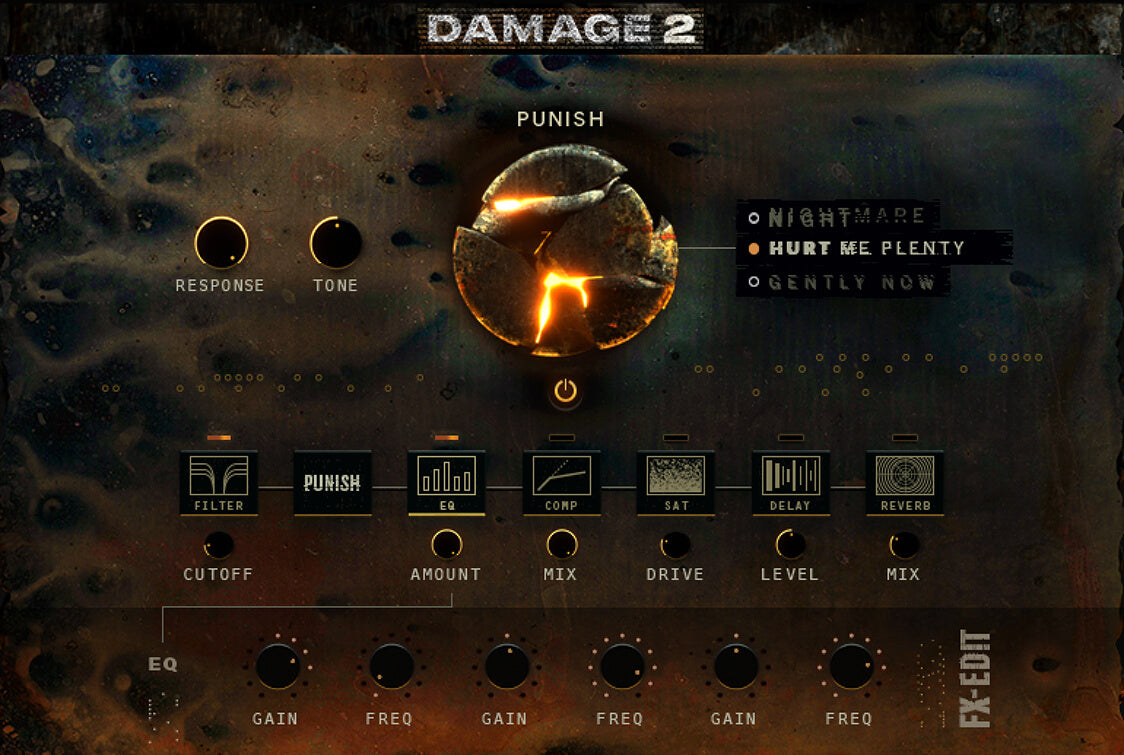
Heavyocity Damage 2
Epic cinematic percussion engine built for trailers, action and hybrid scoring.